WoahBiz · Product Design
An all-in-one growth platform a small-business owner can actually run
During COVID, Brussels shops needed to go digital fast. I helped turn a simple website tool into a CRM-driven growth platform, and kept it simple enough for owners with no marketing team.
Impact
Onboarded 50+ small businesses and grew a website tool into a multi-module CRM growth platform, without overwhelming non-technical owners.
Product
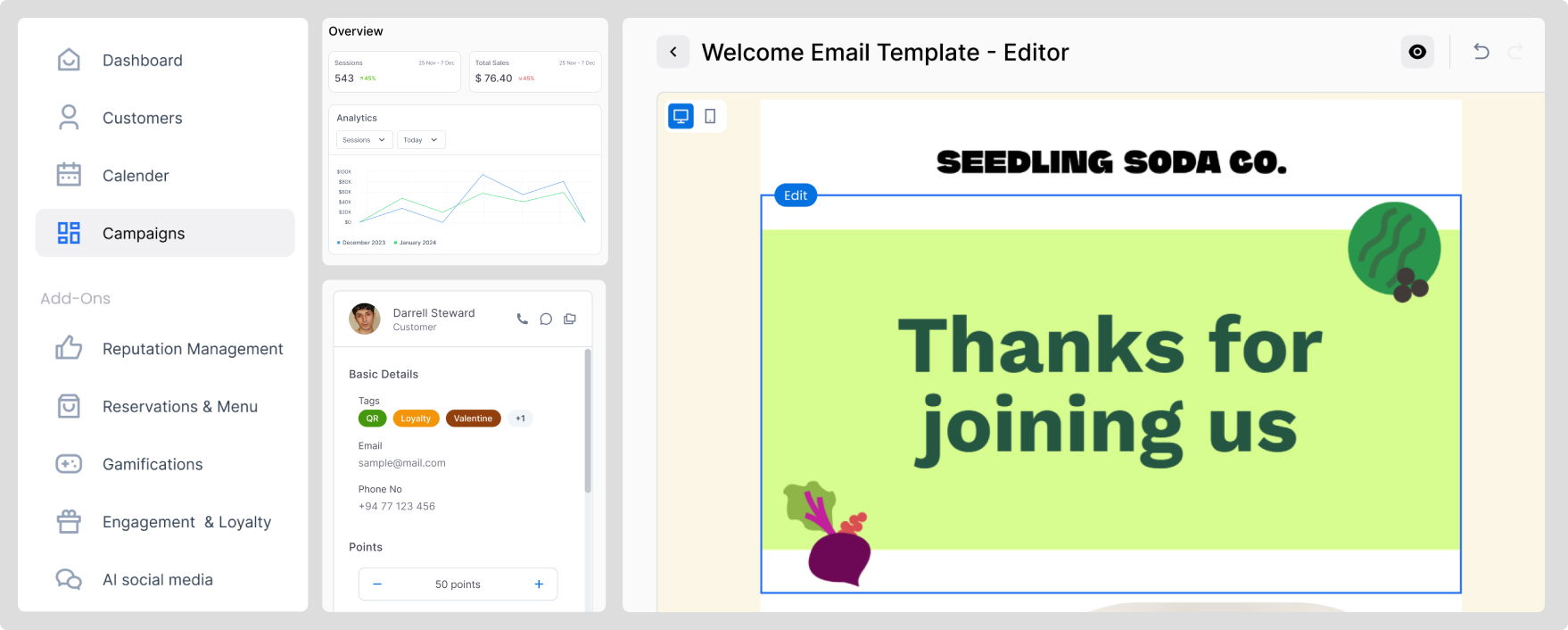
WoahBiz, an all-in-one CRM-driven marketing platform for small businesses.
Users
Restaurant owners, retailers, salon managers, and family-run businesses with varying digital literacy.
Focus
Product architecture, progressive complexity, and usability for non-technical operators.
Role
Sole UX and product designer, working directly with the founder and developers.
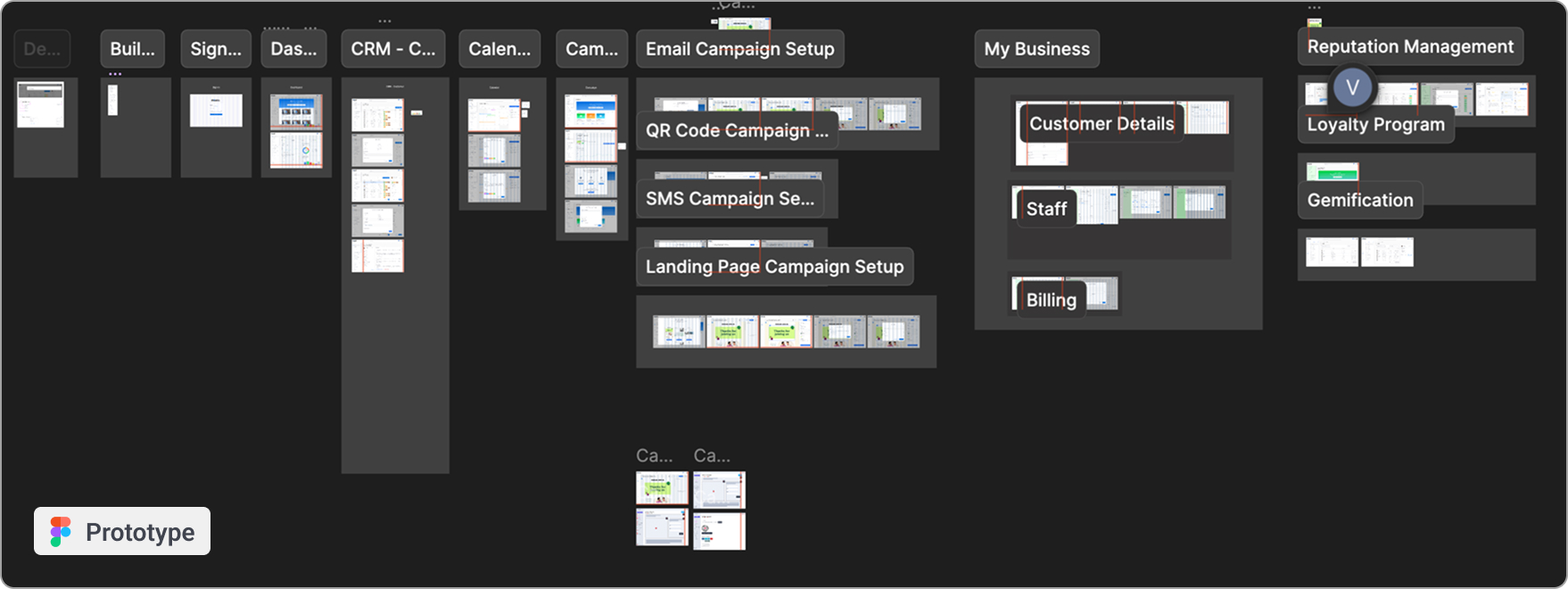
Live prototype
Context
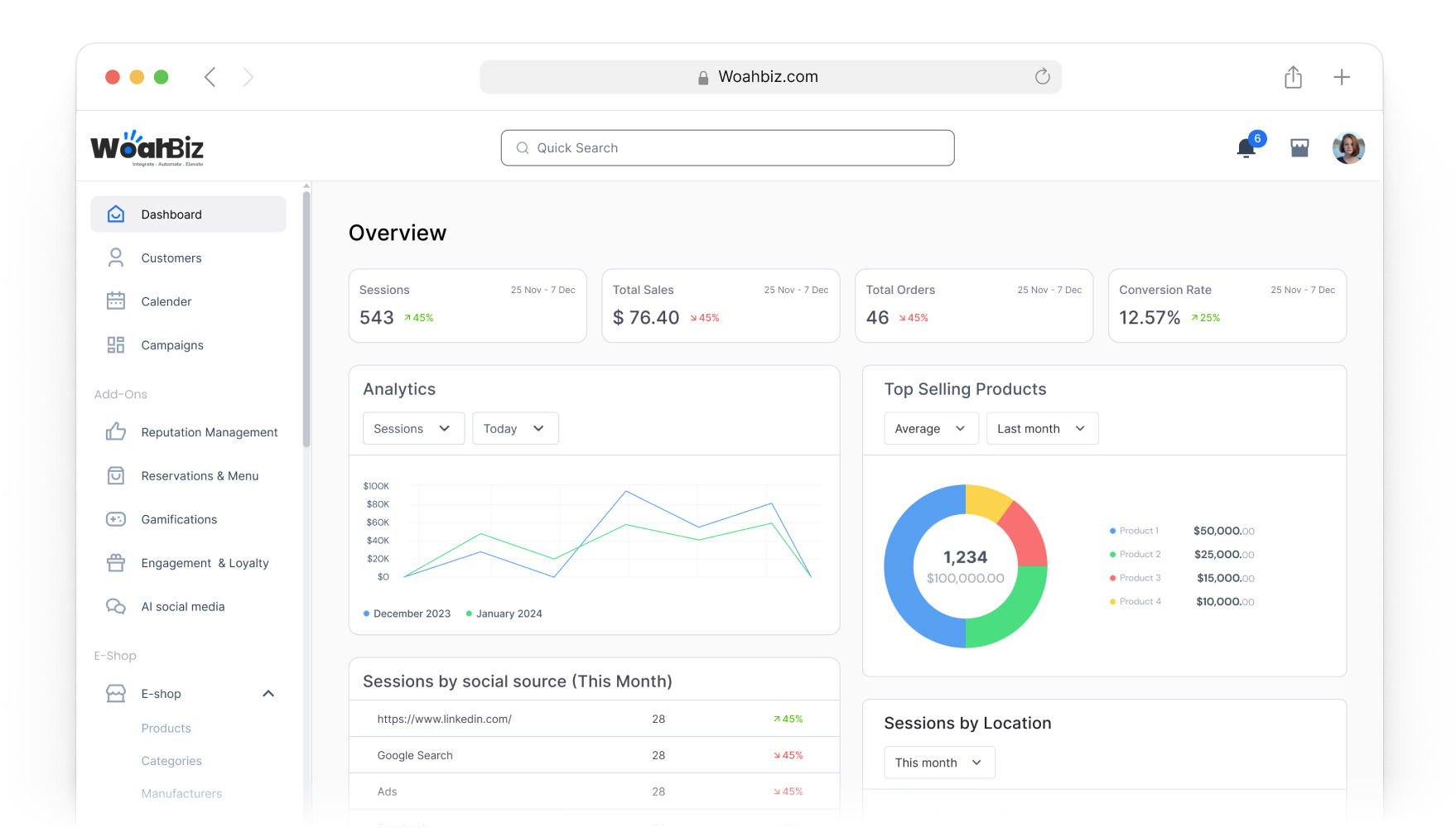
During COVID, small and medium businesses in Brussels faced sudden disruption. Stores closed, and many had little structured digital presence. Most had no marketing team, used disconnected tools, and had no clear view of their customers.
The first idea was simple: affordable websites to keep them online. Demand was real, with 50+ businesses onboarding quickly. But a website alone was not enough. Owners needed a system to manage customers, automate communication, run reservations and digital menus, handle QR interactions, sell online, and see what was working.
WoahBiz grew from a website solution into a CRM-centered growth platform.
The Challenge
The hardest part was not adding features. It was preventing complexity.
These owners were time-poor and operationally focused, with very different levels of digital comfort. The platform had to pull many modules together, CRM, campaigns, QR, reservations, loyalty, and automation, and still feel light.
- —Integrate many modules without feeling fragmented
- —Feel powerful, but not overwhelming
- —Scale without becoming a set of disconnected tools
- —Support growth without adding cognitive load
How do you design an all-in-one growth system that feels simple enough for a non-technical owner?
The Real Problem
The ask started as affordable websites. The real problem was that owners needed a full growth system, but had no time, no marketing team, and no appetite for complex software.
So the job was to prevent complexity, not add features. Every module had to earn its place and connect back to one simple spine. That reframing set the whole architecture: I built the system around a single customer database so it could grow module by module while still feeling like one tool.
My Role
I was the sole UX and product designer, working directly with the founder and developers.
- —Structured the overall product architecture
- —Translated client feedback into product decisions
- —Designed end-to-end user flows across all modules
- —Supported feature prioritization
- —Aligned UX decisions with subscription and pricing strategy
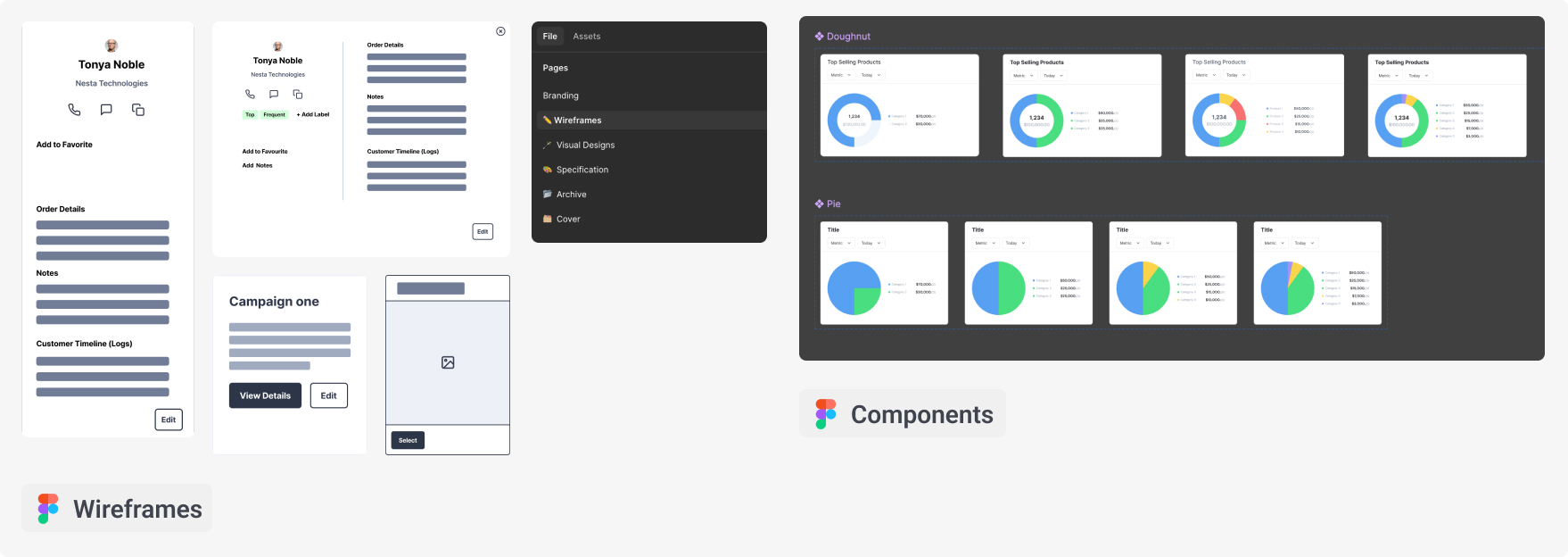
- —Built and maintained the design system
- —Supported front-end implementation for consistency
The role reached past interface design into product direction, monetisation clarity, and long-term structure.
Design Approach
I treated WoahBiz as one connected system, not a pile of features, and worked from the people outward to the interface.
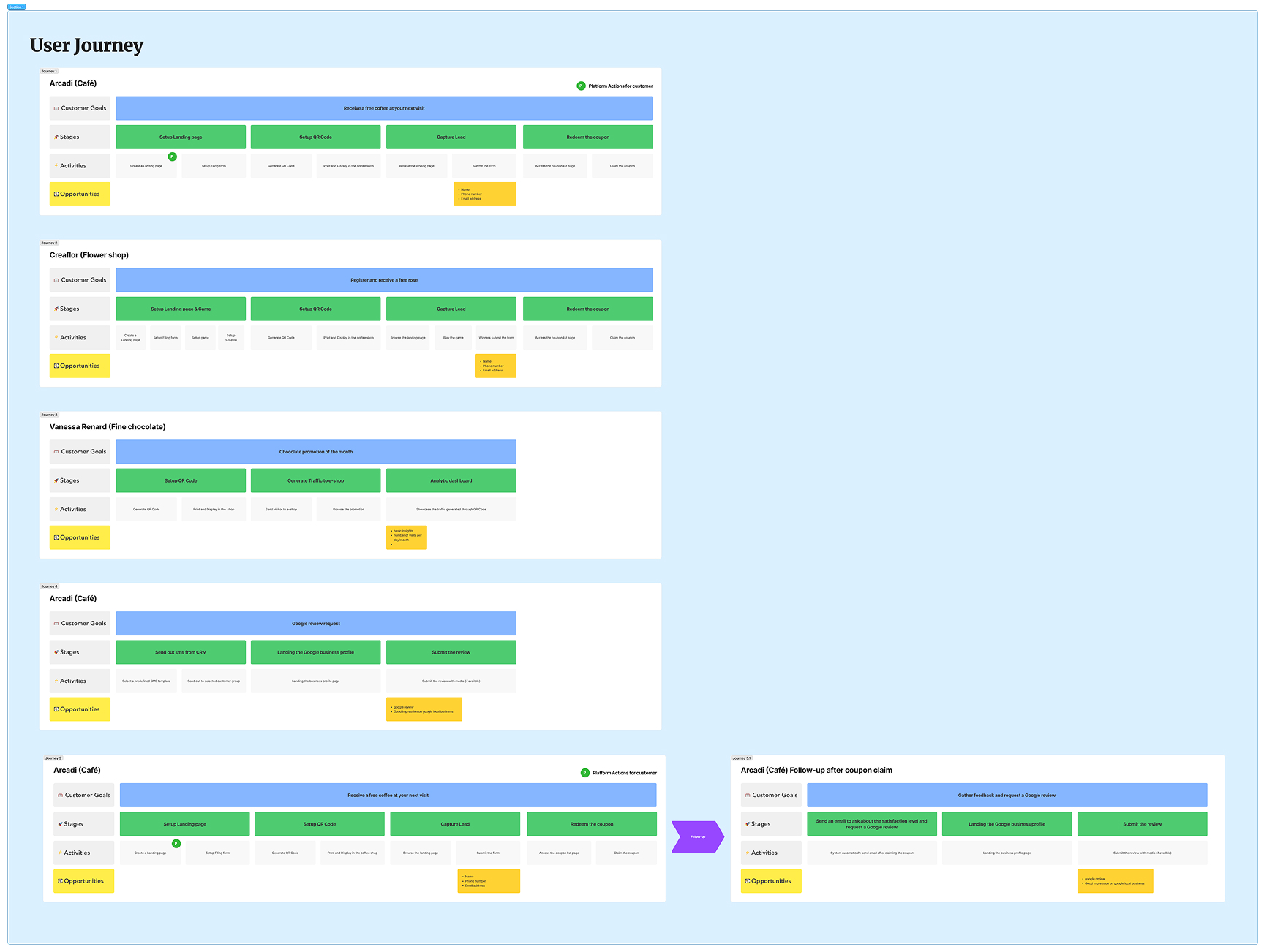
Explore the ecosystem
I mapped the people and business types the platform served: cafes, florists, chocolatiers, salons, bars, each with different promotions and rhythms. That surfaced three core groups, admin, merchants, and customers, and repeatable building blocks like QR entry points, lead capture, follow-up, and loyalty loops.
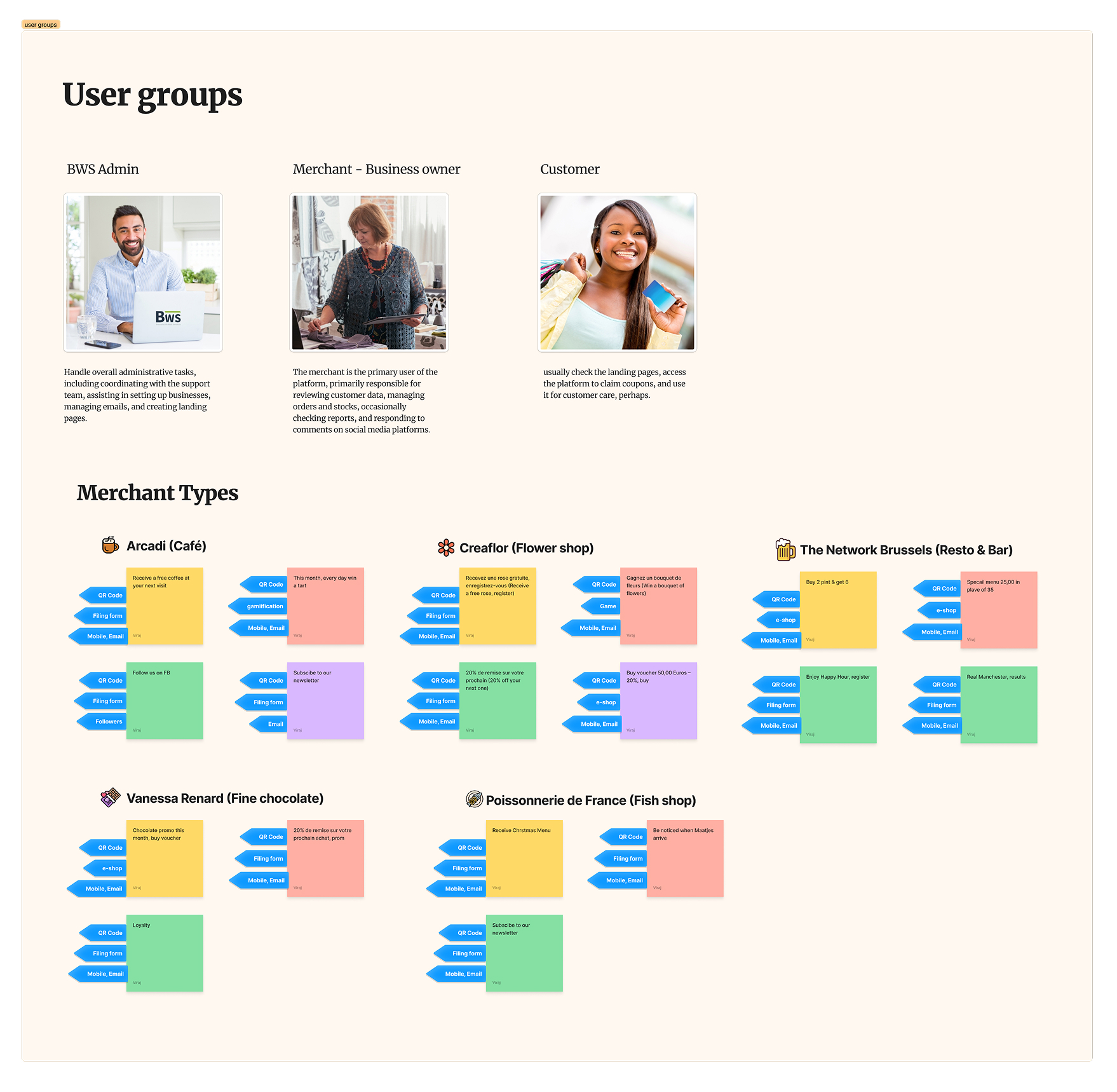
Map the system, not the features
I mapped the whole application as one system rather than isolated tools: setup, staff, reviews, landing pages, campaigns, reservations, loyalty, e-commerce, automation, and analytics. Seeing it end to end showed where each feature belonged and where a CRM spine could hold everything together. Without this view, it would have become a pile of disconnected tools.
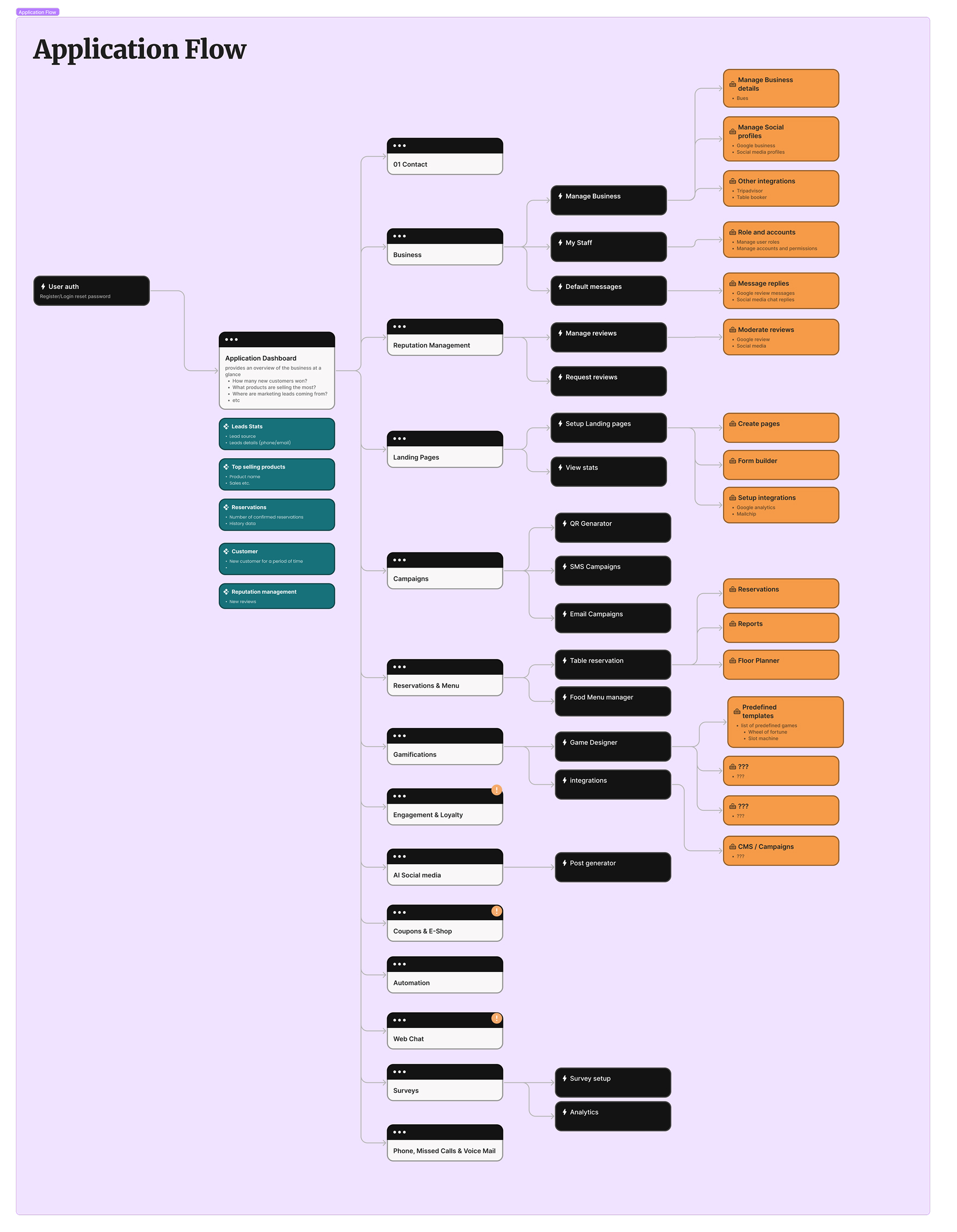
Design around business actions
I turned the system map into practical journeys: set up a landing page and QR to capture leads, run a campaign tied to an offer, follow up after a coupon claim, request and moderate reviews. Framing it around real actions rather than features broke complex workflows into setup, activation, and follow-up.
Pressure-test key modules
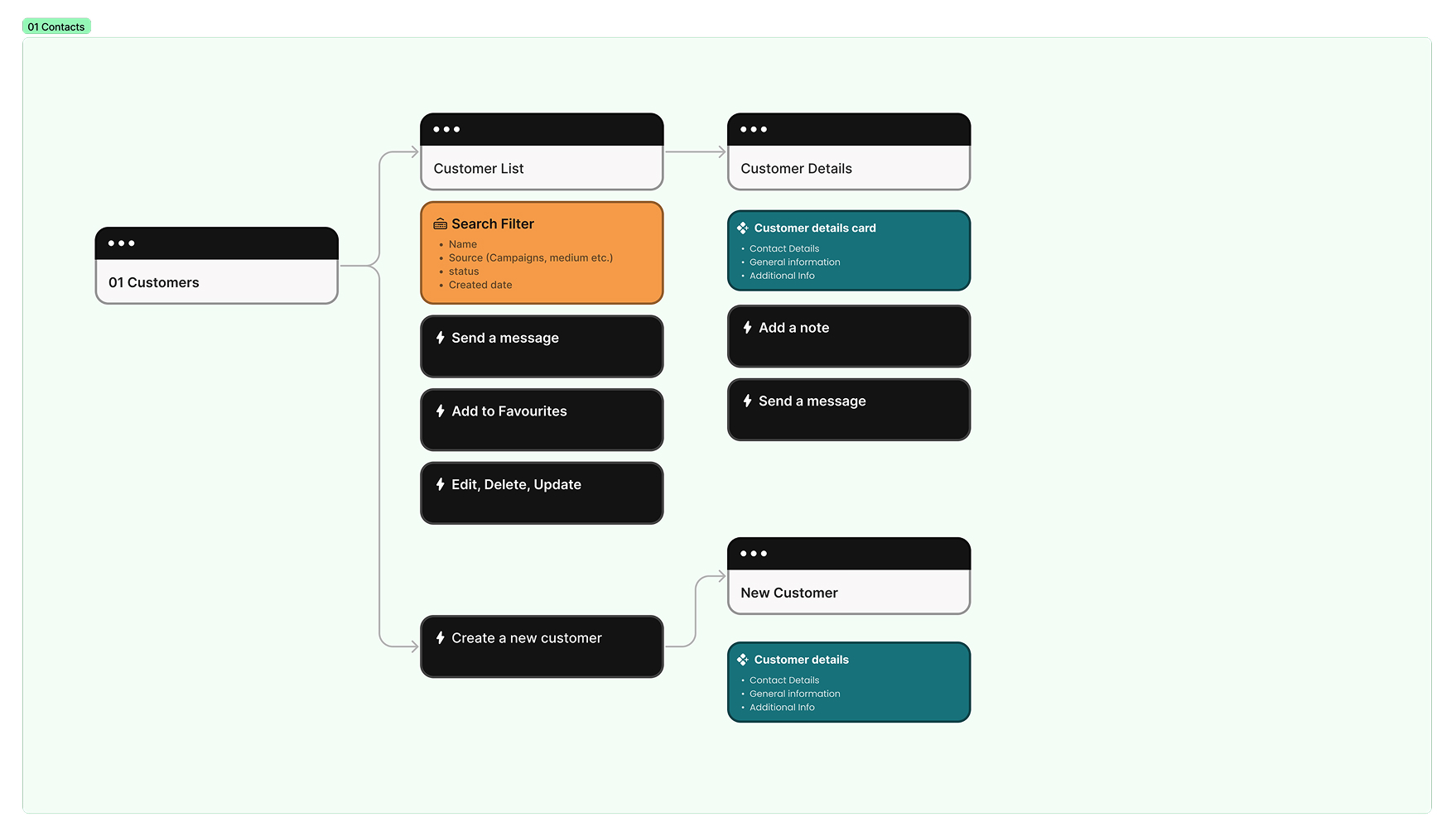
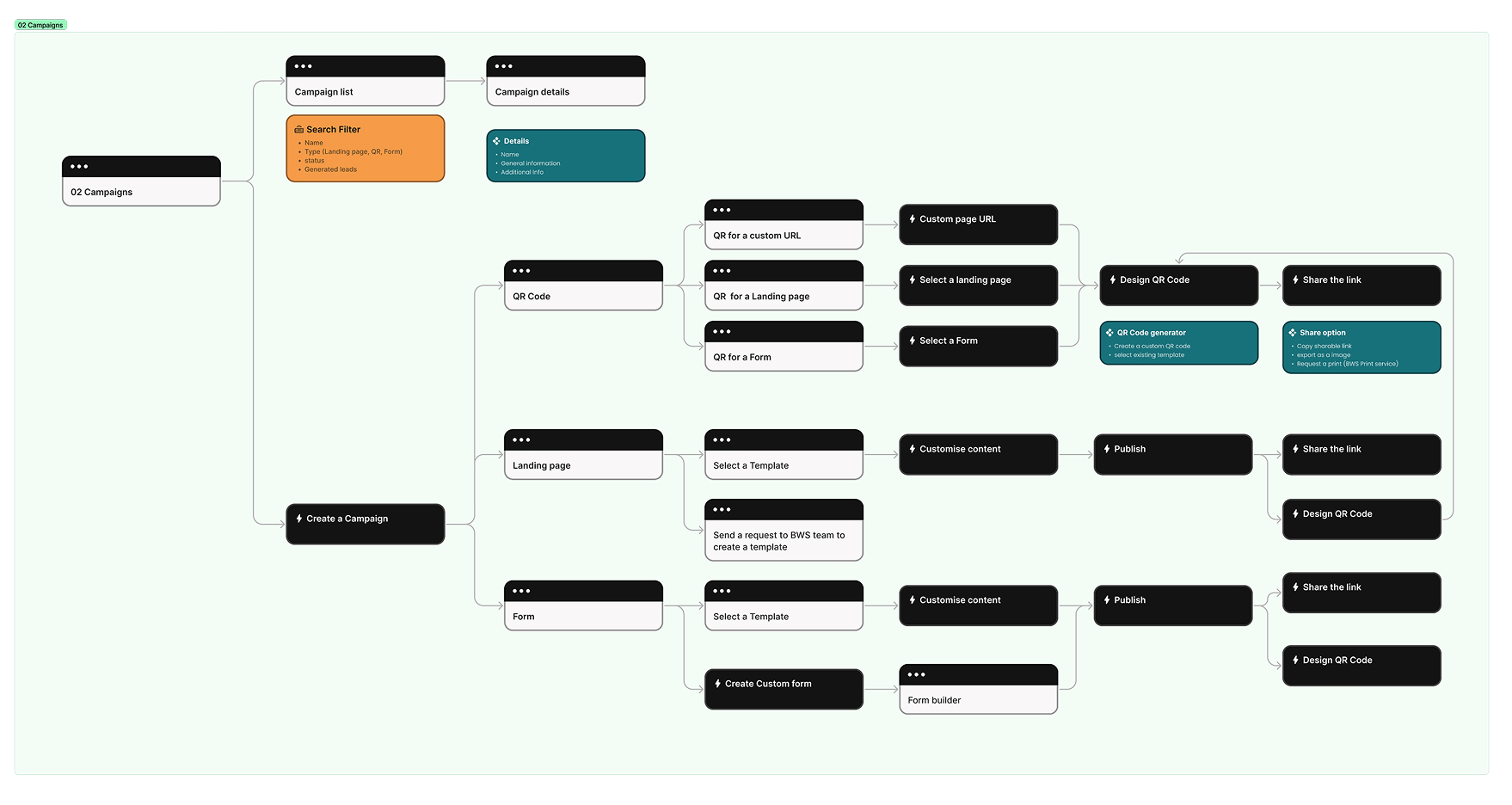
I detailed the modules that carried the most load. For Contacts, I mapped list and detail views, creation, filtering, notes, and messaging so the CRM stayed practical. For Campaigns, I mapped creation from QR codes, landing pages, and forms while keeping the publishing flow understandable.
CRM as the core
The key decision: build around a central customer database instead of standalone tools. Every module connected back to the CRM, which enabled segmentation, targeted communication, automated triggers, and measurable engagement. It asked more of the architecture up front, but it is what let the platform grow without fragmenting.
Progressive complexity
Rather than exposing everything at once, the system revealed features as owners needed them: clear primary actions on dashboards, modular navigation, and template-based campaigns. Owners could start simple and expand. Reusable components and consistent patterns kept the interface coherent as new modules landed.
Accessibility & Usability
Many users were older owners with limited technical familiarity, so usability sat at the centre of the work.
- —High-contrast interface and a clear type hierarchy
- —Reduced visual clutter and large, clearly labelled primary actions
- —No actions hidden behind complex interactions
- —Minimal reliance on icon-only meaning
- —Clear error and success feedback
Workflows were simplified to lower cognitive load, especially for owners new to CRM or automation. The system was built to feel reassuring, not technical.
Impact
WoahBiz moved from crisis-response tooling into a structured, long-term growth platform.
Adoption
50+ businesses
Onboarded during lockdown, keeping digital operations running.
Scope
One platform
Grew from a website tool into a multi-module growth system on one CRM spine.
Automation
For non-technical users
Structured automation that owners without a marketing team could run.
Foundation
Design system
A reusable UX foundation that kept the product coherent as it grew.
It started as a way to survive lockdown and became a way to grow.
Reflection
WoahBiz proved that even small businesses need clear architecture, consistent interaction systems, and a foundation that can grow, not just more features.
Working as the sole designer sharpened how I drive product direction, balance speed with structure, collaborate with founders, and translate business needs into usable systems.
In the end it was less about building features and more about building clarity under pressure.
Continue Exploring
Explore more work
Home
Back to portfolio overview
Return to the main work selection page.
Next Read
Enterprise UX at Allianz
A multi-market enterprise case study on workflows, scale, and accessibility.
Also View
BrusselsLife Digital Reading
A content platform redesign shaped by analytics, editorial UX, and monetization goals.